Design system vs. UI kit: they’re not the same thing

Yamila FigueroaWebxya

A UI kit, a component library and a design system are not the same thing. They share visible pieces; what differs is the context and governance around them.
Introduction
A team says it has a design system. You open the file and find colors, typography styles, buttons, inputs, cards, navigation elements, and a carefully organized collection of reusable interface assets. Everything looks polished, the library is useful, and designers can produce new screens without recreating the same visual decisions every time.
Then the questions begin. Which button variant belongs in which situation? Which of these components actually exists in production code? What should happen when the design library and implementation drift apart? Who decides whether a new pattern belongs in the shared set, and who is responsible for keeping that set current?
Those questions do not make the library less valuable. They simply reveal that the label may be doing more work than the artifact itself. What the team has might be a UI kit, a component library, or a broader design system that connects both.
The confusion is understandable because all three can contain many of the same visible pieces. Buttons, form fields, colors, typography, icons, and navigation can appear in each of them. What changes is not necessarily what you can see in a screenshot, but the amount of implementation, guidance, shared reasoning, and ownership that surrounds those assets.
A useful shorthand is that a UI kit gives teams reusable visual assets, a component library gives developers reusable implementation, and a design system connects those assets and components to a wider framework for making and maintaining shared decisions. None of these is inherently more legitimate than the others; they simply solve different kinds of problems.
What is a UI kit?
A UI kit is a collection of reusable visual interface assets. It might include colors, typography styles, icons, buttons, inputs, cards, navigation elements, templates, spacing examples, and other pieces designers can reuse when creating interfaces.
Its value is straightforward. A designer should not need to redraw the same button for every new screen or remember from memory which radius, text style, or spacing was used elsewhere. A well-structured UI kit turns those recurring visual decisions into reusable assets, which can make design work faster and more consistent without requiring a large amount of organizational infrastructure.
That scope is also what distinguishes it. A UI kit may show three button variants without explaining the product decisions behind them. It may contain a polished modal without defining how focus should behave when the modal opens or closes. It may provide beautifully organized cards while production code uses a different implementation entirely.
None of that means the kit has failed. It means its primary responsibility is visual reuse rather than the full lifecycle of a shared product decision.
A UI kit can be small or extensive, rough or meticulously crafted. The distinction is not about visual quality or how many assets it contains. It is about what teams expect the resource to do.
What is a component library?
A component library moves reuse from visual representation into implementation. Instead of showing designers what a button, modal, accordion, or tab set should look like, it provides reusable versions that developers can use in code.
That difference matters because implementation carries behavior. A coded button can encode states, interaction logic, properties, accessibility semantics, responsive behavior, and technical constraints in ways a static visual asset cannot. A shared modal can reduce repeated engineering work by handling the same structural and interaction requirements every time it is used, rather than asking each product team to rebuild them independently.
In practical terms, a UI kit helps teams reuse how an interface is designed, while a component library helps them reuse how parts of that interface are implemented.
Even so, a component library does not automatically become a design system. It can contain technically excellent components while offering little guidance about when those components should be used, how they should be combined, what content belongs inside them, how new contributions are evaluated, or what principles should guide situations the library has not anticipated.
A library can therefore standardize implementation very effectively without standardizing every decision around that implementation. The difference becomes more important as more products and teams begin depending on the same shared components.
What is a design system?
A design system places reusable assets and implementation inside a broader framework for making shared decisions. As we explored in What Is a Design System — and Does Your Organization Need One?, the system is not simply the collection of things teams reuse; it is also the reasoning, guidance, ownership, and processes that make those things dependable across products and over time.
Depending on the organization, that framework may include design principles, foundations such as color and typography, design tokens, UI assets, production components, interaction patterns, accessibility and content guidance, documentation, contribution processes, versioning practices, and governance. Not every system needs all of those layers, and their presence alone does not make the system mature. What matters is that the organization has a shared way to understand how reusable decisions are created, applied, changed, and maintained.
This is the point where the distinction becomes less about artifacts and more about context. A design system does not stop at “here is a button.” It should help teams understand when that button is appropriate, what happens if another variant is needed, how the component is represented in code, which accessibility requirements are built into it, who approves changes, and how updates reach the products that depend on it.
Those are partly visual and technical questions, but they are also organizational ones. That is why a design system is not simply a larger UI kit. It operates at a different level of responsibility.
The key differences
The boundaries are not perfectly rigid. A sophisticated UI kit may contain substantial guidance, a component library may have a formal contribution process, and a small design system may have only a modest number of components. The table below is useful as a map of emphasis rather than a strict classification.
| Capability | UI Kit | Component Library | Design System |
|---|---|---|---|
| Visual styles | ✓ | Usually | ✓ |
| Reusable UI components | Often | ✓ | ✓ |
| Production code | Usually no | ✓ | Usually |
| Design tokens | Sometimes | Sometimes | Often |
| Usage guidelines | Limited | Limited to moderate | ✓ |
| Interaction patterns | Rarely | Sometimes | ✓ |
| Accessibility guidance | Sometimes | Sometimes | Usually |
| Content guidance | Rarely | Rarely | Sometimes |
| Documentation | Basic | Technical | Broader |
| Governance | No | Limited | ✓ |
| Contribution process | No | Sometimes | Often |
| Shared decision framework | No | Limited | ✓ |
What changes across these categories is not simply the number of files, components, or pages of documentation. It is how much shared decision-making the resource carries.
A UI kit is mainly concerned with the visual language teams reuse. A component library adds reusable behavior and implementation. A design system extends further into questions of intent, coordination, maintenance, and ownership. That is why two organizations can possess almost identical component galleries while having very different systems behind them.
Why teams confuse them
Most of the confusion comes from the fact that the visible layer looks remarkably similar. Open a UI kit and you may see buttons, inputs, colors, typography, cards, and navigation. Open a design system and the first screen may show exactly the same things.
If the component gallery is the part people interact with most often, it is easy to treat the gallery as the system. The distinctions usually sit elsewhere: in the documentation that explains when a pattern should be used, the relationship between Figma and production code, the accessibility requirements attached to an interaction, the process for proposing a new component, the ownership model that keeps the system current, and the release practices that tell teams what changed.
That is why screenshots are often a poor way to tell these resources apart. The visible layer may be nearly identical while the organizational layer is completely different.
The terminology itself does not always help. Commercial resources are sometimes presented as “design systems” even when what they primarily provide is a UI kit or a component library, because the broader term sounds more complete. That does not make those resources less useful; it simply means the name alone tells you very little about the problem the resource is actually equipped to solve.
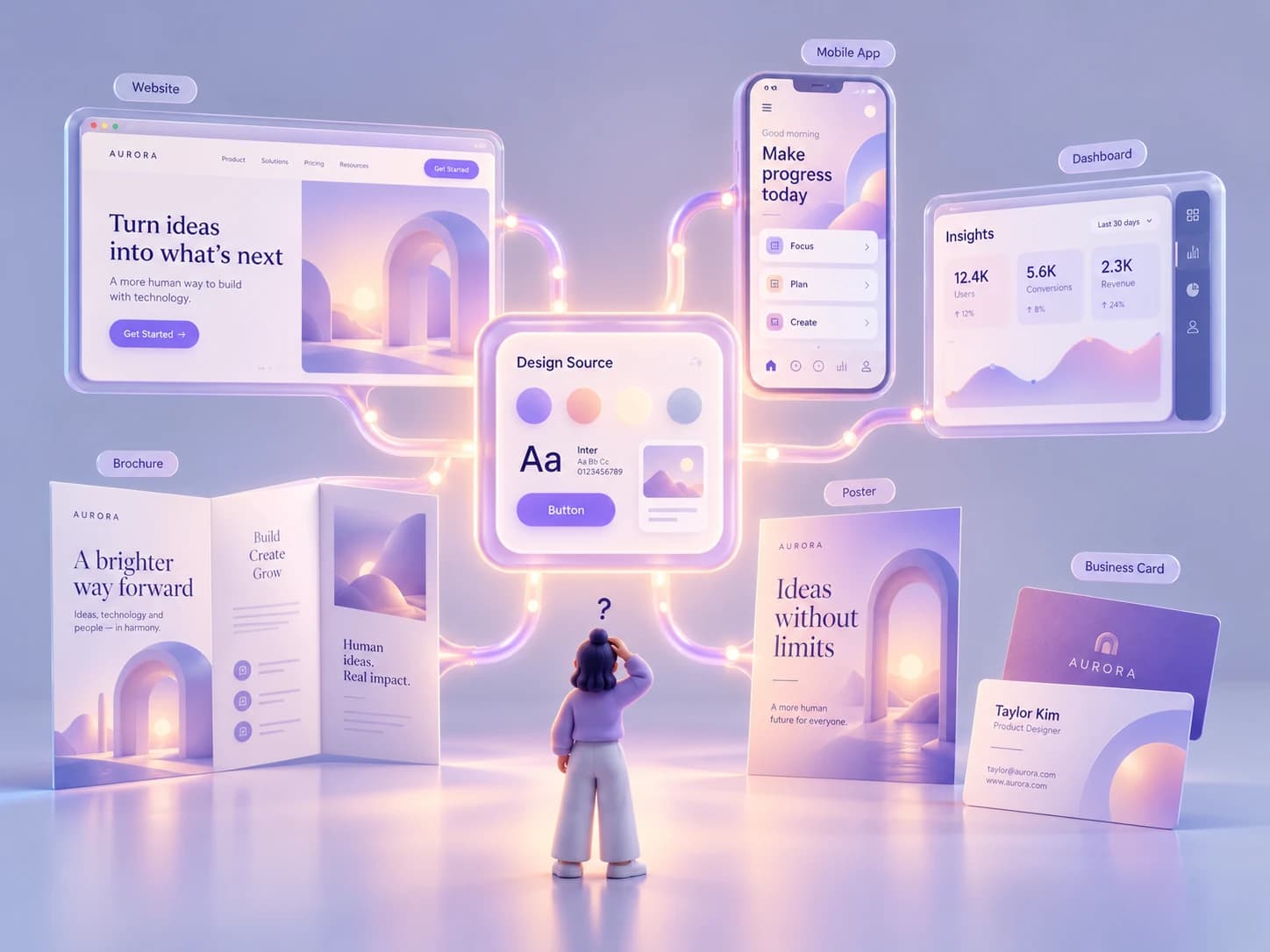
Shared visual assets can keep many outputs related, but the assets alone do not define how those decisions should be implemented, maintained, or governed.
When a UI kit is enough
There is little value in building organizational infrastructure for a problem that does not yet exist. For a small team working closely together, a strong UI kit may provide exactly the right amount of structure.
If the product has relatively few surfaces, implementation is already consistent, and decisions can be coordinated informally without creating confusion, adding governance, contribution workflows, and a large documentation layer may introduce more maintenance than value. The same is true for short-lived campaigns, prototypes, internal tools, or contained products where visual reuse matters more than long-term coordination across many teams.
A UI kit can also be the better choice while a product is still changing quickly. Standardizing too early has a cost of its own. Teams can spend considerable effort documenting and governing patterns that have not yet stabilized, only to discover that they formalized decisions before they understood the problem well enough.
The point is not that a UI kit is a temporary or incomplete design system. It is a different level of infrastructure, and in many cases it is sufficient. A UI kit plus a small set of agreed rules can support a team successfully for a long time if the surrounding complexity remains low.
When you need a real design system
The case for a design system becomes stronger when the problem stops being the creation of individual screens and starts becoming the coordination of repeated decisions across people, products, and time.
You may be reaching that point when design and code repeatedly drift apart, multiple teams rebuild equivalent components, nobody is sure which version is canonical, or changes that should propagate globally have to be recreated manually in several products. The same pattern appears when accessibility fixes remain local instead of improving shared components, teams invent exceptions because existing assets do not explain how to handle unfamiliar cases, or documentation survives mostly in the memories of experienced colleagues.
At that stage, the missing piece is not another component. It is a reliable structure around the components that already exist.
A design system can provide that structure by connecting visual assets to implementation, implementation to guidance, guidance to ownership, and ownership to an ongoing process for change. It does not require a dedicated team on day one, hundreds of components, or a sophisticated documentation portal. What it requires is enough shared infrastructure that teams can trust the answers to questions they should no longer have to resolve independently.
This is the same threshold discussed in What Is a Design System — and Does Your Organization Need One?: the need becomes clearer when maintaining independent answers across teams costs more than maintaining a shared one.
A UI kit can help a team design more consistently. A component library can help developers reuse implementation. A design system becomes valuable when an organization needs those assets and components to carry shared decisions across products and over time. The useful question is therefore not whether your organization is capable of building a design system, but whether the problems you are trying to solve actually require one.
Keep reading

NGOs do not need to solve every accessibility issue at once. Start with critical services, set a baseline, stop creating new barriers and build a roadmap.

Accessibility
Accessibility debt: the problem nobody talks about
Accessibility debt builds up when an inaccessible decision repeats across components, content, code and processes. The longer it spreads, the more it costs.
If these challenges sound familiar, let’s talk about your context.
Start a conversation